
Digital Business Card for Political Leaders and Public Representatives
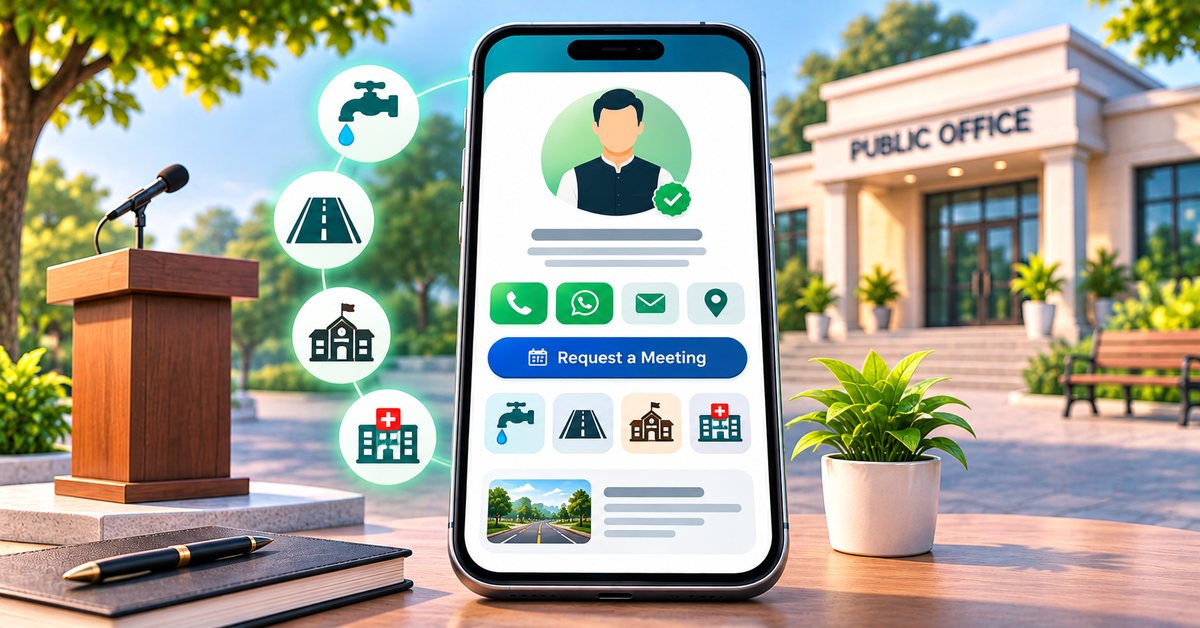
A public representative lives on contact. People want to meet, to ask for help with a local problem, to learn what has been done and to see where to find the office. At the same time, a leader's time is limited and phone numbers get passed around in ways that are hard to manage. A digital business card gives one clear and official page that you control. This guide is for councillors, sarpanches, MLAs, party workers and other local leaders. It is a neutral how-to and takes no side.
What a card can do for a public office
One official page
People often find a leader through forwarded messages, old posters or unofficial pages. A card gives a single link that you can print on a poster or hand out at a meeting. When your office number or address changes, you edit the page once.
Show the work
Voters ask what was done. A card can list your priorities and past work in plain words, with photos from the area, so people can see for themselves.
Hear from people
A form on the card lets residents describe a local issue or ask for help, instead of going through crowded phone lines. Your team can read them and respond in order.
What to put on the card
Identity
- Full name, photo, current position and constituency or ward.
- The party or organisation, if you wish to show it, and your slogan or a one-line message.
Priorities and initiatives
Use the services section for the main issues you work on, such as water supply, roads, health centres, schools, jobs for youth and women's safety. Write one or two honest sentences on each, with what has been done and what is planned.
Journey
A short list of positions held and milestones gives context, such as years of service, earlier roles and committees.
Publications
Add a vision document, a progress report or a pamphlet as a product listing marked free, with a link to the file. People can read the same material you hand out in print.
Public meetings and office hours
Show your office address with a map link and your office hours. Where your plan includes appointments, let people request a slot for a public hearing or a meeting.
Photos and videos
A gallery of events, visits and meetings, with categories, shows your presence in the area. Embed speeches or updates as YouTube links where your plan allows.
Social links
Add the official pages on Facebook, Instagram, X and YouTube, so that people follow the right accounts.
Using it for grievances and volunteers
Many local problems are small: a broken streetlight, a water issue, a pension form. An enquiry form with a clear note on what to write helps your office sort them. Ask for name, phone, ward or area and a short description. Set expectations: say how long a reply usually takes, and do not promise what the office cannot deliver.
The same form can collect volunteer names for events. Keep that data safe, use it only for what people agreed to and do not share it with third parties.
Rules and responsibilities
Political communication in India is regulated, and the rules become stricter around elections.
- During an election, follow the Model Code of Conduct and the instructions of the Election Commission and your local authorities. Content that was fine last month may need to change.
- Be careful with any claim you make about results or spending. Use facts you can support.
- Do not publish content that insults, targets or spreads false information about any person or group.
- If you accept contributions, do so only in the ways the law allows, and keep proper records. A payment link on the card does not remove any legal or reporting duty.
- Government officials and employees may have limits on political activity. Check the rules that apply to you before publishing.
This is general guidance and not legal advice. Take advice from your party's legal team or a qualified professional where needed.
A simple setup checklist
- Choose a template from the templates page. A Political Leader template is available on the platform.
- Add your name, photo, position, constituency and slogan.
- List four to six priorities in plain language.
- Add a short journey of positions held.
- Upload a vision or progress document.
- Add your office address, hours and a meeting request option.
- Upload event photos with the consent of the people shown.
- Add your official social links.
- Test every button on your own phone, then print the QR code for posters and pamphlets.
Where to share it
- On posters, banners and pamphlets, as a QR code.
- At rallies and public hearings, as a tap-to-save card from the shop.
- In WhatsApp groups and broadcast lists that people have joined by choice.
- On the office desk and at the reception, as a standee.
- In your social media bios.
Who benefits most
Ward councillors, sarpanches and local leaders who deal with many individual requests, and party workers who run campaigns across several areas, will benefit the most. The format works because it is simple: people scan, see who you are and know how to reach you.
Getting started
Compare plan features on the pricing page. The ordering guide explains how a physical card or standee goes from order to design approval to delivery.
FAQ
Can I show my party name and symbol? You can show your party or organisation name. Follow the rules on the use of symbols, especially during elections.
Can people send me a complaint on the card? Yes, through the enquiry form, where your plan includes it. Check it regularly and reply in good time.
Can I accept donations through the card? Only if the law allows it for your position and you keep the proper records. A payment link does not replace your legal duties.
Can I update the card during an election? Yes. Updating the page is easy, and you should review it for compliance as the rules change.